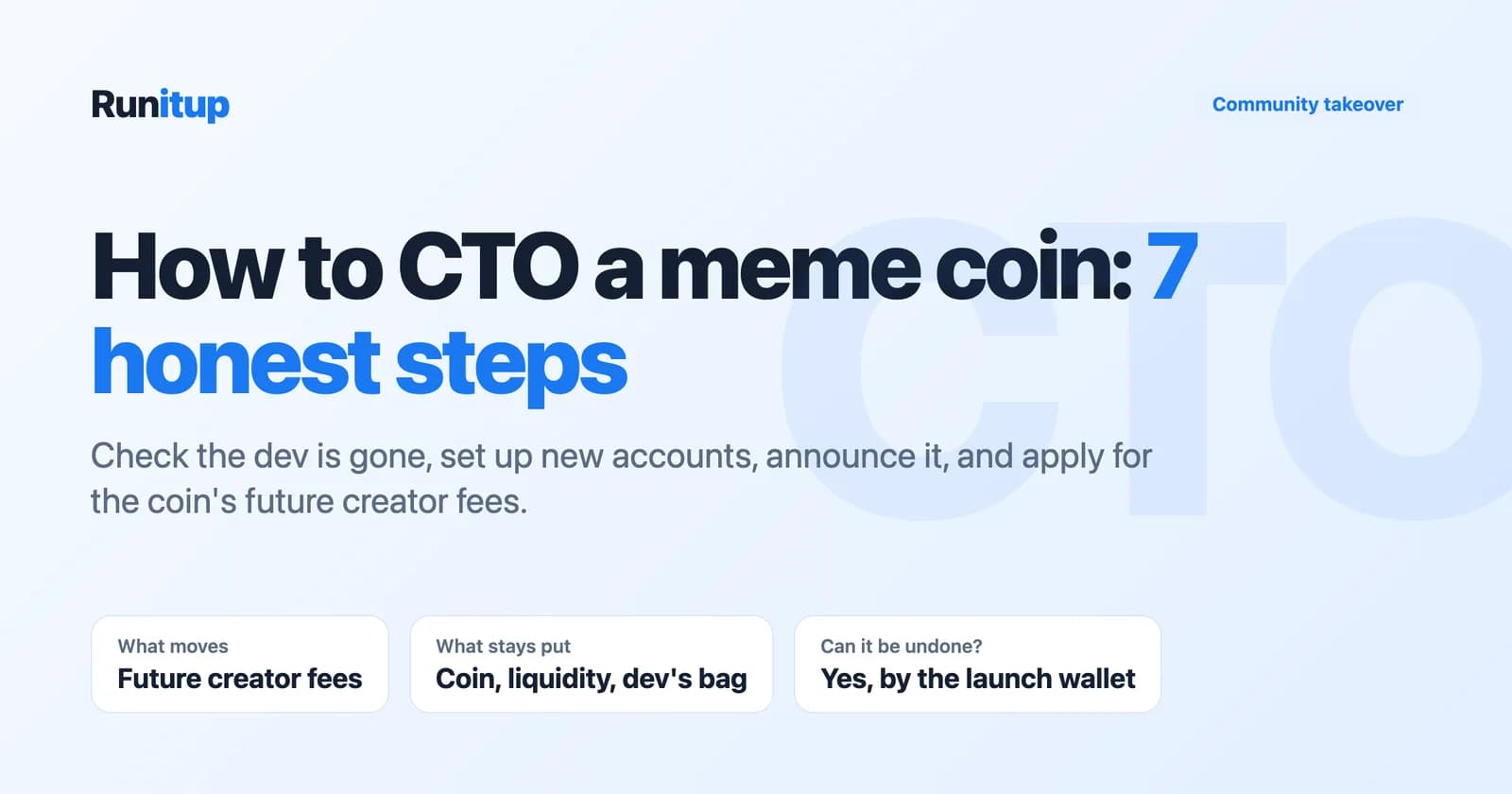
A community takeover is what happens when a meme coin's dev walks away and the holders decide the coin is not finished. If you have been searching for how to CTO a meme coin, this is the playbook: how to check the dev is really gone, how to set up the new accounts, what to post, and how to ask a launchpad to send the coin's future creator fees to the people now doing the work.
Most "how to CTO" results on Google are really "how to create a meme coin" guides. That is a different job. You are not making anything new here. You are picking up a coin that already has holders, a chart and a history, and trying to give it a second life.
One honest note before we start, because it matters more than any step below. On Runitup, a community takeover redirects the coin's future creator fees. It does not hand you the coin, its liquidity or the old dev's tokens, and on almost every Runitup coin the original launch wallet can point those fees back. We explain exactly why further down.
What a community takeover (CTO) actually is
CTO stands for community takeover. The idea is simple: the person who launched a coin stops showing up. The X account goes quiet, the Telegram fills with "dev?" messages, and nobody is posting. Holders who still believe in the coin step in and run it themselves.
In practice a community takeover usually means three things:
- New social accounts. A fresh X account and Telegram run by the community, because the old ones belong to the dev.
- A public announcement. A post saying "this coin is now a CTO" and naming the contract address, so buyers know which coin the new accounts speak for.
- New people doing the work. Memes, raids, listings, answering questions, keeping the chart alive.
What a community takeover does not mean is that anybody gets the keys to the coin. If the supply is fixed and the liquidity is locked, there is nothing to hand over. The community takes over the attention, not the contract.
The one thing that can move is money that the coin earns. Many launchpads, Runitup included, pay a share of every trade's fee to the coin's creator. When the creator is gone, those fees keep flowing to a wallet nobody is using for the coin. A CTO team will reasonably ask: can that go to us instead? That is the question the last part of this guide answers.
Before you take over an abandoned meme coin: is the dev really gone?
The most common way a community takeover goes wrong is that the dev was not gone. They were away for a while. They come back to find strangers running "their" coin, and now there are two X accounts, two Telegrams and a holder base that does not know which one to trust.
So before anything else, check properly:
- When did the dev last post? On X, in Telegram, anywhere. A week of silence on a small coin is normal. A month with no reply to direct questions is a pattern.
- Has the dev sold? On the coin's page, look at how much the launching wallet holds now. On Runitup the token page shows this as Creator holds in the Top holders tab, and it is the current figure, not a launch-day snapshot. A dev who has sold everything has usually made their decision.
- Did you ask? Message the dev directly and in public. "Are you still running this? If not, the community would like to take it over" is a fair question. Screenshot the question and the silence. You will want both later.
If the dev answers and says they are done, that is the best case. Ask them to say so publicly. A dev who blesses the community takeover in writing removes most of the doubt buyers will have.
How to CTO a meme coin in 7 steps
Here is the full playbook. Steps 1 to 5 apply on any chain and any launchpad. Step 6 is specific to wherever the coin was launched; we show Runitup's version because it is ours.
Step 1: Confirm the coin is abandoned
Do the checks above and write them down: dates of the dev's last posts, what their wallet holds, the messages you sent. This is your evidence, and the first thing a launchpad or a doubtful holder will ask for.
Step 2: Find your core team
A community takeover run by one person is fragile. If they get bored, the coin is abandoned twice. Look for three to five holders who are already active in the old Telegram, already making memes, already answering newcomers. Agree who does what: one person on X, one on Telegram, one on listings and admin.
Be clear among yourselves about money too. If creator fees do end up coming to the community, decide now which wallet receives them and what they are for. A multisig (a wallet that needs several people to sign) is better than one person's wallet, because it stops one member walking off with the fees.
Step 3: Set up new accounts
Create a new X account and a new Telegram group. Use the coin's ticker, and make the bio say plainly that it is a community takeover, with the full contract address. Do not copy the old dev's handle with a small change. That looks like an impersonation and makes people suspicious of the whole takeover.
A simple website is optional but helps. It gives you one link to put everywhere.
Step 4: Write the community takeover announcement
Post a clear announcement from the new X account. Include:
- The coin's name, ticker and full contract address.
- One or two sentences on what happened: the dev went quiet on this date, here is what we checked.
- Who is running it now, and where the new Telegram is.
- What you plan to do next, in concrete terms.
Pin it. This is the post you will link everywhere, including in the launchpad application in step 6.
Step 5: Update the places buyers look
Buyers find coins on screeners and trading bots, so update the coin's socials wherever you can. Some screeners sell this as a paid product. DEX Screener's Enhanced Token Info, for example, lets a project put its logo and socials on its token page. Only spend that money once the community has agreed to it.
Then post the announcement in the original Telegram if it is still open.
Step 6: Apply for the creator fees
If the coin was launched on a platform that pays creator fees, ask that platform to send future fees to the community wallet. Every launchpad handles this differently, and many have no process at all. On Runitup it is the community takeover form, which we walk through below.
Step 7: Keep shipping
A community takeover announcement gets a burst of attention. What keeps a coin alive is the boring part afterwards: daily posts, answering questions, holding community calls, and showing holders what the fees (if you get them) were spent on. Most of the work of a community takeover happens after everyone has stopped talking about the takeover.
Walkthrough: the Runitup community takeover form
Runitup's community takeover page lives at runitup.family/cto. The top of the page sets the rules in three tags: Runitup coins only, Future fees only and Read by a person.
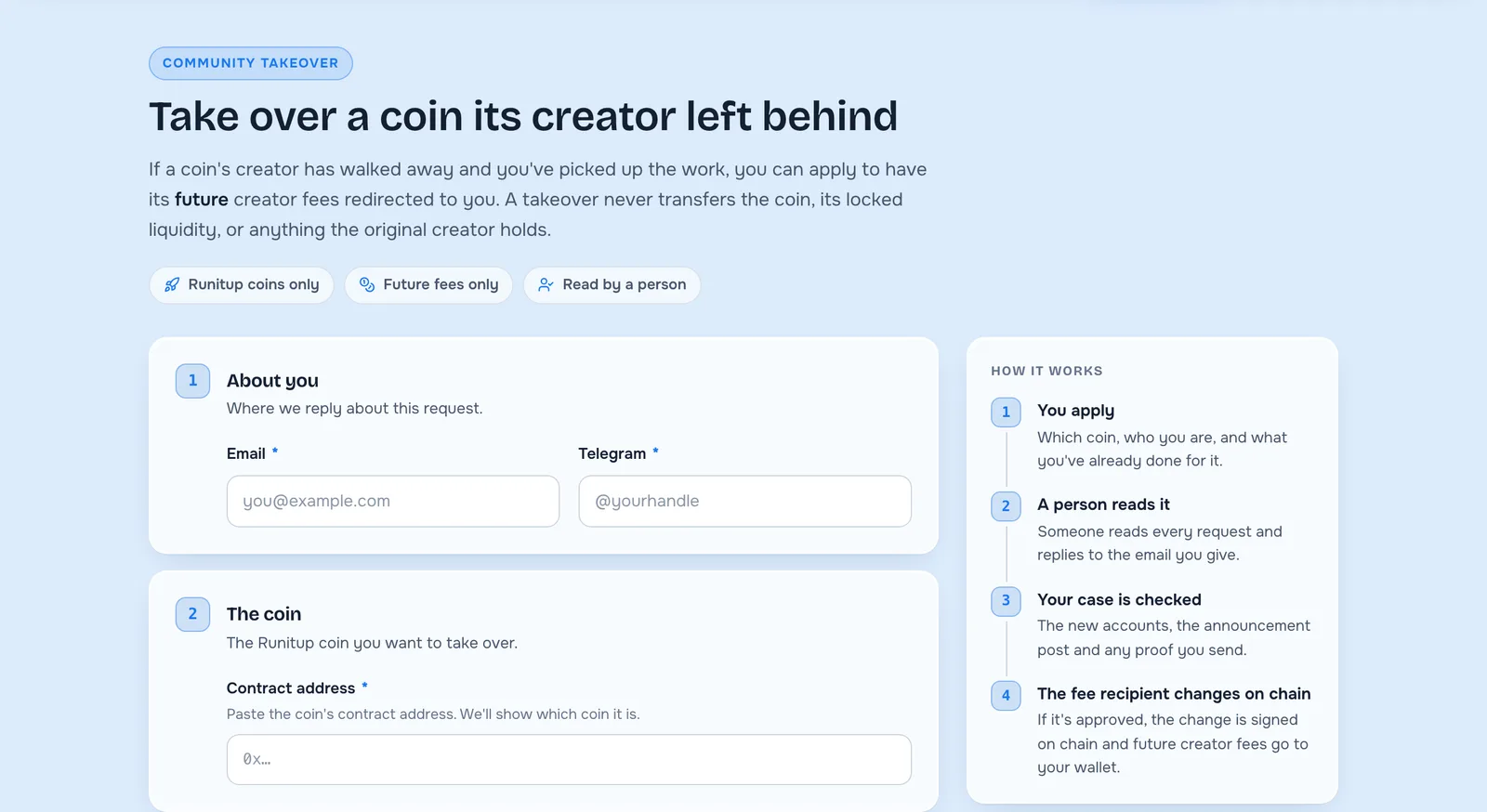
Under that, a four-step "How it works":
- You apply. Which coin, who you are, and what you have already done for it.
- A person reads it. Someone reads every request and replies to the email you give.
- Your case is checked. The new accounts, the announcement post and any proof you send.
- The fee recipient changes on chain. If it is approved, the change is signed on chain and future creator fees go to your wallet.
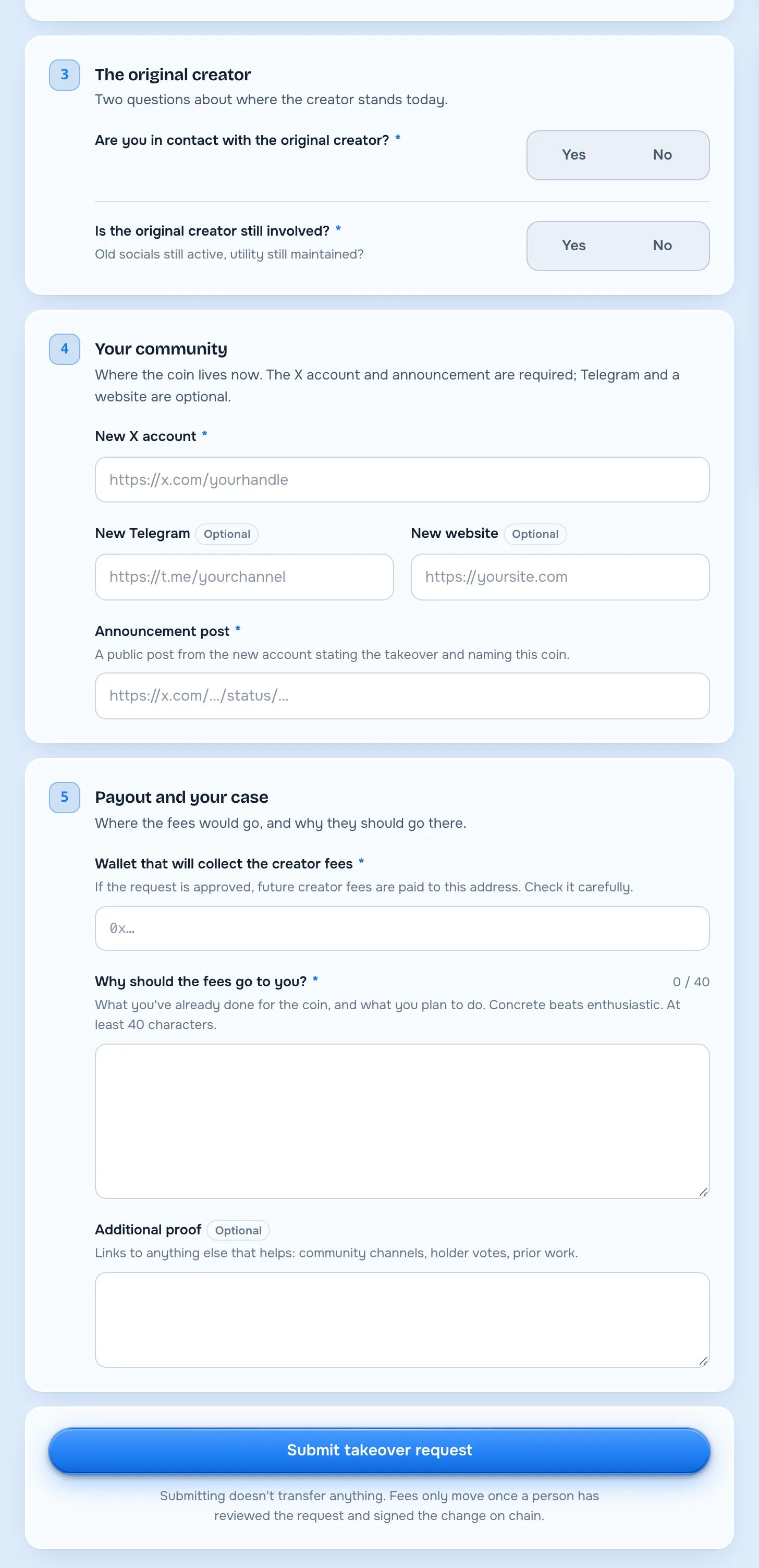
The form itself has five sections. Sections 1 and 2 are in the picture above; sections 3 to 5 look like this.
1. About you. An email and a Telegram handle, both required. This is where the reply comes.
2. The coin. The contract address of the Runitup coin you want to take over. The page shows which coin it is once you paste it, so you can catch a wrong address before you send.
3. The original creator. Two yes/no questions: are you in contact with the original creator, and is the original creator still involved (old socials still active, utility still maintained). Answer honestly. "Yes, they are still involved" is not an automatic no, but a reviewer will check.
4. Your community. The new X account and the announcement post are required. A new Telegram and a website are optional. The announcement has to be a public post from the new account that states the takeover and names this coin, which is exactly the post from step 4 above.
5. Payout and your case. The wallet that will collect the creator fees, and a written answer to "Why should the fees go to you?" of at least 40 characters. The page's own hint is good advice: "Concrete beats enthusiastic." There is also an optional field for extra proof such as holder votes, community channels or work you have already done.
At the bottom: "Submitting doesn't transfer anything. Fees only move once a person has reviewed the request and signed the change on chain."
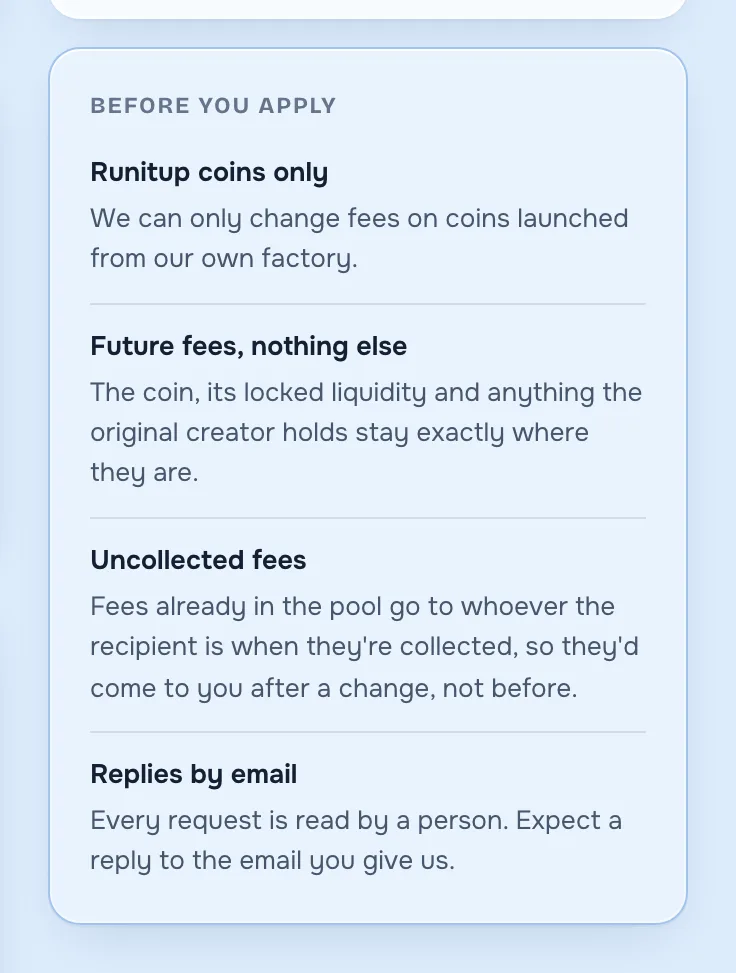
The page also tells you up front what you are not getting. Read the "Before you apply" box before you fill anything in.
What a Runitup community takeover changes, and what it doesn't
This section is the most important one in the guide, so here it is without softening.
A Runitup community takeover redirects the coin's future creator fees to a new wallet. That is all it does. It is not a transfer of control.
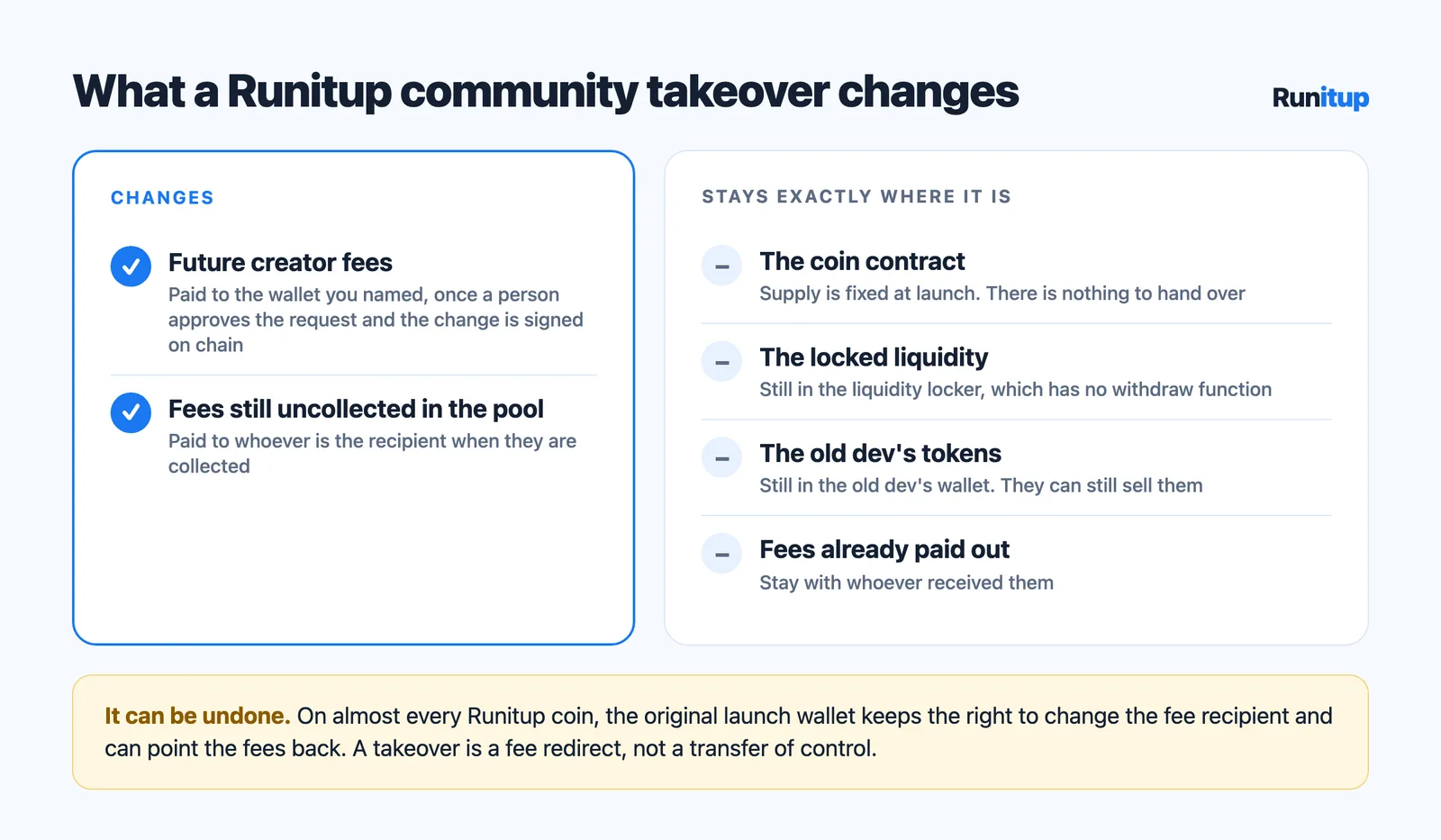
Here is what changes and what does not:
| After an approved community takeover | |
|---|---|
| Future creator fees | Paid to the wallet you named |
| The coin contract | Unchanged. Supply is fixed; there is nothing to hand over |
| The locked liquidity | Stays locked in the liquidity locker, as before |
| The old dev's tokens | Stay in the old dev's wallet. They can still sell them |
| Who can point the fees back | The original launch wallet, on almost every Runitup coin |
Which fees, exactly
On a Quick launch the pool charges a 1% fee on every trade and the creator's share is 75% of it. On an Advanced (taxed) launch the creator gets half of the 1% standard fee plus their share of the tax. A takeover moves that creator share and nothing else. The platform's share is unchanged.
Fees on a plain Quick launch are collected by the Keeper about once an hour and paid to whoever the recipient is at that moment. The /cto page spells out the consequence: fees already sitting in the pool "go to whoever the recipient is when they're collected, so they'd come to you after a change, not before."
The original launch wallet can point the fees back
This is the part people do not expect.
Every Runitup coin records its creator, the wallet that launched it, in the fee contract (the FeeSplitter). On the suites behind almost every live Runitup coin, that creator record (creatorOf) is set once at launch and has no function to change it. The creator wallet keeps the right to change the fee recipient (setRecipient), for good.
So when a community takeover is approved, Runitup signs a transaction that points the fees at the community wallet. But the original launch wallet can sign one that points them straight back. Nobody, Runitup included, can take that right away from it on those suites.
This is not a theoretical risk. On one Runitup coin in October 2026, the original launch wallet repointed the fees back to itself about six and a half minutes after a takeover redirect. It can happen to any takeover. Plan for it.
What that means for your team:
- A community takeover is a fee redirect the old dev could undo. Treat the fees as a bonus while they last, not as income you can promise anyone.
- Collect often. Fees already paid to your wallet are yours. Only future fees can be pointed back.
- Watch the recipient. The fee contract emits an event every time the recipient changes, and anyone can read the current recipient on a block explorer. If the fees stop arriving, check that first.
There is one newer exception. Runitup's current Base launch suite, live since 19 October 2026, has a fee contract that can also move the creator role itself to another wallet, which would stop the old wallet from pointing the fees back. Even there the rest of this section holds: the coin, the liquidity and the old dev's tokens do not move, and it is still only about fees. On an Advanced coin with an adjustable tax, the original launch wallet can also keep the right to lower the tax rate.
You can see every contract behind a launch, chain by chain, including each suite's fee contract, on the contracts page.
What pump.fun has said about CTO revenue sharing
Runitup is not the only launchpad thinking about this. The Defiant reported that pump.fun's founder teased a community takeover feature for revenue sharing, in a story that notes pump.fun "began to share revenue generated by its PumpSwap DEX with coin creators on May 12."
That is as far as we will go on pump.fun: how a rival's feature works should come from the rival. The wider point is clear though: once creators earn a share of trading fees, "who gets the fees after the dev leaves" becomes a real question on every launchpad, and a community takeover is where it gets asked.
Mistakes that sink a community takeover
- Taking over a coin whose dev is still around. You end up in a public fight. Ask first, wait, and keep the screenshots.
- One person holding everything. The new accounts, the fee wallet and the admin rights all in one person's hands is the same risk as the old dev, with a new name.
- Promising holders the fees. On most Runitup coins the old dev can point them back. Never build a plan that only works if fees keep coming.
- Going quiet after week one. A community takeover that fades is just a second abandonment.
- Skipping the contract address. Names and tickers are not unique. Every announcement and every bio should carry the full address.
Community takeover FAQ
Do I need to own the coin to do a CTO?
Not by any rule, but nobody will trust a community takeover team that holds none of the coin. Holding a bag shows you have something at stake.
Does a community takeover give me the old dev's tokens?
No. The old dev's wallet keeps every token it holds, and it can still sell them. Check how much it holds before you start, because that is selling pressure your community will have to absorb.
Can I take over a coin that was not launched on Runitup?
Not through Runitup. The form says it plainly: "We can only change fees on coins launched from our own factory." For a coin launched elsewhere, ask that platform.
How long does Runitup's review take?
The page does not promise a time. Every request is read by a person and the reply comes to the email you give.
Can the old dev undo a Runitup community takeover?
Yes. On almost every Runitup coin, the original launch wallet can point the fees back at any time, because its creator record cannot be changed on those suites. Treat it as a redirect that lasts until the old dev decides otherwise.
Next: finding CTO meme coins worth buying
Running a community takeover and buying into one are different jobs. If you are on the buying side, we wrote a companion guide on how to find CTO meme coins: where takeovers get announced, how to tell a real one from a rug relaunch, and the on-chain checks to run before you buy.
And if you are about to start a community takeover of a Runitup coin, read the "Before you apply" box on the community takeover page first. It tells you exactly what you will and will not get.